A touchscreen makes controls accessible, but it does not tell a new operator what each indication means or where normal operation ends. Include a training deliverable in the facial tissue machine order: the supplied controls, the procedures being taught, the documents left behind and the people expected to use them. A useful course connects the screen to the paper and the physical machine. It also gives staff a clear way to report an unfamiliar event without improvising a repair.
Base the course on the delivered model
The DOUBLE DB-F-V-200 tissue interfolder page lists PLC control, servo drives, a frequency converter and HMI touchscreen operation. It also identifies automatic counting and paper-break stop protection. These statements give the buyer concrete topics to discuss with the supplier. They do not describe every screen, control function or training exercise on the delivered machine.
The separate DB-IF-V description lists PLC/HMI control and says diagnostic information is available. It recommends training operators to read basic alarms and respond to paper-out or safety-door events. Those are published facts for that model. Keep them separate from the DB-F-V-200 training scope unless the supplier confirms the corresponding delivered functions.
Ask the supplier to return a course outline tied to the ordered model and options. A general slide deck headed tissue machinery may explain the process, while leaving the actual operator interface unaddressed. The outline should identify the supplied manual, the relevant control pages and the ordinary operating tasks the trainer will demonstrate.
If another machine is used for an early introduction, label that session accordingly. It can establish vocabulary, but it cannot prove familiarity with the buyer's installed screen layout. The final teaching material needs to follow the supplied configuration, including any agreed discharge or optional output arrangement.
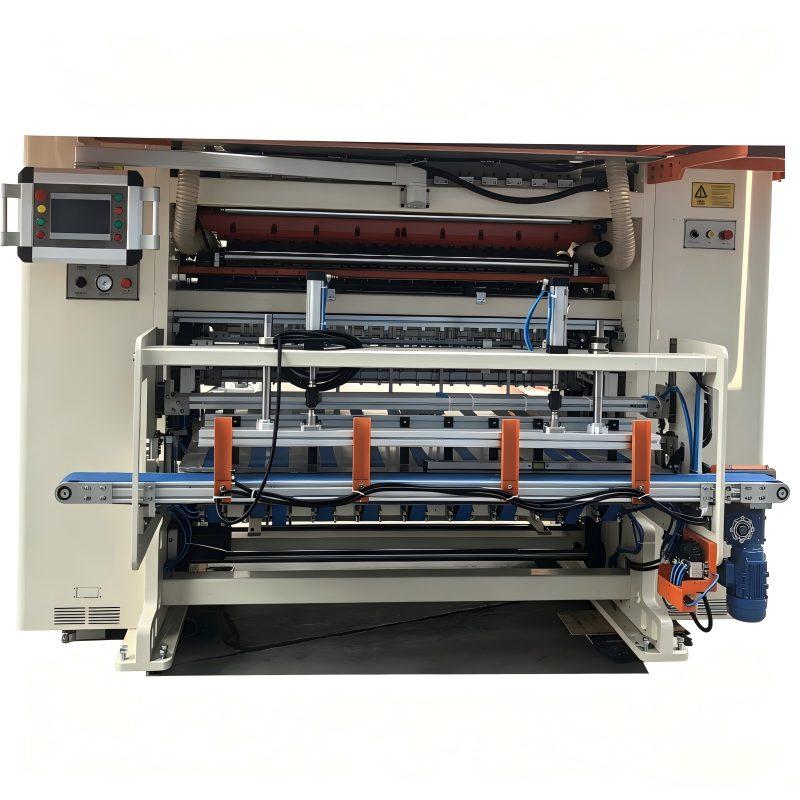
This close view shows a screen, buttons and adjacent mechanisms. The screen is not displaying a readable alarm example, so the photograph supplies no message or recovery instruction.
Teach the meaning of the displayed information
Begin with the terms operators will see. For each relevant indication or entry, ask the trainer to explain the unit, the equipment function and the situation in which it is used. A value described only as speed is incomplete if staff do not know what motion or output it represents. The supplier should identify the indications actually provided rather than the buyer inventing a preferred screen.
Separate information that the operator reads from entries that the approved procedure permits the operator to change. This is a training boundary, not an assumption about software access levels. Staff need to know which changes belong to routine operation and which require the responsible technical person. The lesson should use the supplier's limits and procedure for the delivered configuration.
For the published counting function, agree the meaning of the counted unit. Ask the trainer to connect the relevant indication, where provided, to the physical tissue or output group. A worker who knows how to read a number but cannot explain its unit has not yet learned how to use it for production. Keep that explanation short and practical, using the buyer's intended product.
Make a screen reference that the next shift can understand. Ask for clear images or diagrams of the delivered interface with the terms used in the course. The reference should distinguish normal operator information from service information. It should not become an unofficial collection of undocumented settings copied during a demonstration.
Language needs to be agreed before training starts. Confirm the interface language supplied and the language of the manual and instruction. If an interpreter is needed, allow time to reconcile the machine terms with the words used by the factory team. A translated word for stop or fault is useful only when staff understand the actual indication and the appropriate reporting responsibility.
Ask trainees to use those terms when describing a supplier example. Their explanation can reveal a translation problem before the wording enters shift reporting.
Give an alarm lesson a reporting outcome
For the DB-F-V-200, paper-break stop protection belongs in the discussion of the supplied operating procedure. For the DB-IF-V, basic alarm interpretation and the stated paper-out and safety-door events are additional published training topics. Ask each supplier to identify its actual messages and intended operator response. Do not combine the two models into an assumed common alarm list.
A lesson can use supplier-prepared examples of indications without asking trainees to create faults. Staff should learn to describe what is displayed, which machine section is involved and what they observed immediately before the event. The approved course can then explain when an operator task is permitted and when the issue must be referred to technical staff.
The point is to preserve the event accurately. An operator reporting only machine stopped gives the next person little to work with. A report containing the displayed wording, the relevant product and the visible paper condition is more useful. If an image is part of the site's reporting method, obtain it only where the supplier's procedure permits safe observation.
This reporting method can be a paper form or another site record. It does not require the machine to store an alarm history. The supplier's public control description should not be expanded into an unconfirmed claim about event recording, remote access or automatic troubleshooting. Agree those capabilities separately if they matter to the order.
Keep emergency and protective functions within the manufacturer's instruction. Training should identify their purpose and the designated responsibility for further action. It should not teach staff to defeat a safety door, bypass protection or clear an unfamiliar condition through repeated resets. Practical repair and intervention belong to the authorized procedure and the personnel qualified for that work.
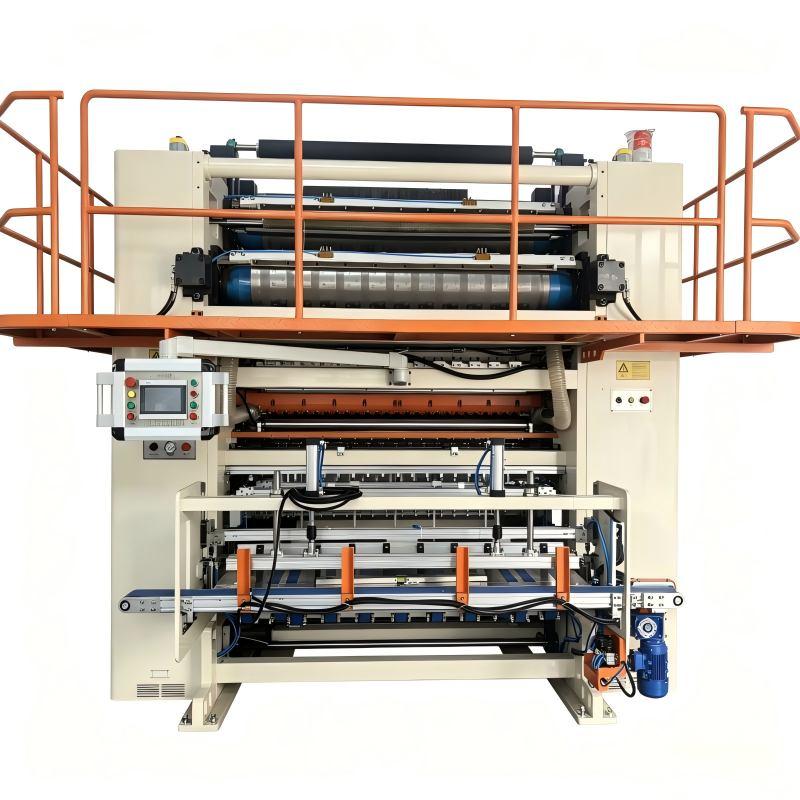
The DB-F-V-200 gallery shows the control position beside the machine. Menu contents and operator functions are established by the supplied documentation.
Specify the teaching and the material left behind
Decide who needs the course. Operators, production supervisors and maintenance staff may attend some common explanations while requiring different technical depth. Ask the supplier to name the intended audience for each part. Attendance by one engineer should not be treated as evidence that the operating shifts have all received the relevant instruction.
Agree where training takes place and what equipment is available there. A factory introduction, instruction on the delivered machine and a later remote discussion can serve different purposes. State which are included in the offer and what remains to be arranged. The public statement that a machine has HMI control does not establish the quantity or format of training supplied with it.
For the operator: a model-specific operating manual, a readable control reference and the procedures covered during the course.
For the supervisor: the course scope, people instructed, unresolved questions and the supplier contact responsible for clarifications.
Ask how the written material will be updated if the supplied configuration changes before handover. A course based on an earlier interface or another option can leave staff with instructions that look familiar but refer to different functions. The supplier should identify the version belonging to the delivered equipment. Keep that identification with the training record.
Clarify what the supplier expects the buyer to prepare: the agreed paper and product reference, available trainees and any site arrangements required for instruction. These are conditions to settle between the parties, not a claim that one standard course covers every installation. The training scope should also identify questions that require later technical review rather than disguising them as completed lessons.
Ask trainees to explain the machine in their own words
After an explanation, invite the operator to describe the function back to the trainer. For an indication, the operator should be able to identify its meaning and relate it to the paper or machine section. For an event example, the operator should know what information to report and whom to contact. This reveals gaps that a signed attendance sheet cannot show.
Use the supplied product reference to connect control information with inspection. The trainee can explain which opened or folded tissue features the operating instruction asks them to observe. That exercise is about understanding the product and procedure; it does not require an invented dimensional tolerance or an assertion that the machine has passed a production acceptance test.
The paper example helps distinguish an opened tissue from folded output. Its dimensions and production history are not established by the image.
Record topics needing another explanation, then address them before treating the course as complete. If one shift was absent, identify the instruction still needed for those people. If the buyer will teach later recruits internally, agree what material the supplier provides for that purpose and who answers questions beyond its scope.
The order should leave the factory with usable instruction, not just a list of control components. A model-specific course, clear reporting language and documented open questions help staff use the supplied machine within its intended operating scope.




 Tel: +8613908196540
 Email: info@doubletissuemachine.com
 MP/WhatsApp: +8613908196540
 Manufacturer Address:Dongguan, Guangdong, China